Industrial Printer Maintenance: Tips for Shop Owners
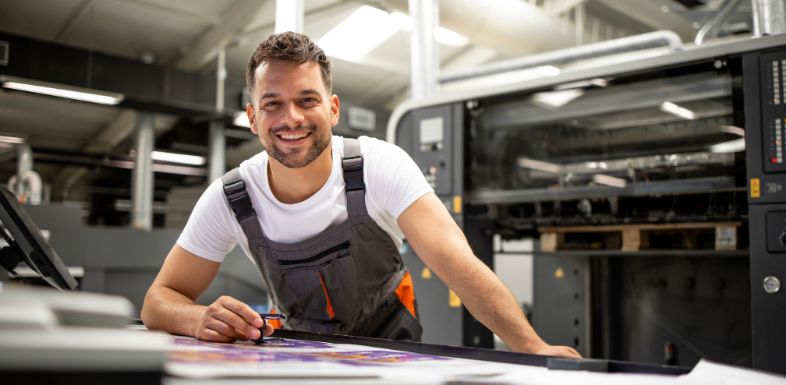
Industrial printer maintenance tips for shop owners, from daily routines and media handling to cleaning, calibrations, and keeping print quality consistent.
An industrial printer can feel like the quiet engine of your shop. When it runs well, orders move and deadlines stay reasonable. When it starts streaking, jamming, or drifting off color, every department feels the slowdown. Maintenance does not need to take hours or require a service call every time. A few consistent habits can reduce breakdowns, protect printheads, and keep jobs looking sharp. Use these tips to provide your industrial printer the proper maintenance.
Start With a Clean Environment
Dust, humidity swings, and temperature extremes can shorten the life of sensitive components. Keep the printer area tidy, and store media in its packaging until you need it. If your shop produces a lot of airborne debris, treat the printer like a precision tool. Use door mats, reduce cardboard dust near the unit, and keep compressed air away from delicate parts unless the manufacturer recommends it. Compressed air can push particles deeper into the machine.
Check the ventilation around the printer. Give the unit space so heat can dissipate. Heat buildup can warp media, soften adhesives, and create feed issues that look like mechanical problems.
Follow a Daily Shutdown Routine
A short routine at the end of each day can prevent the most common headaches. Wipe exterior surfaces with a lint-free cloth so debris does not migrate inside. Empty waste containers if the system uses them. Review the control panel for warnings you may have ignored during a rush.
Run the manufacturer’s recommended nozzle check or test pattern when you start a shift. That quick print can reveal clogging early, when a standard cleaning cycle can fix it. If you wait until the middle of a run, you can waste media and ink while you troubleshoot.
Treat Media Handling Like Maintenance
Media problems often masquerade as printer problems. Train staff to handle rolls and sheets with clean, dry hands. Oils from skin can interfere with ink adhesion and create defects that force reprints. Keep roll edges protected, and avoid denting cores during storage.
Pay attention to the loading technique. Align rolls squarely, set tension correctly, and verify guides before you hit print. If the feed path looks slightly off, it will not correct itself at speed. A small skew can turn into a large alignment issue several feet into a run.
Clean the Parts That Touch the Work
Focus on the components that contact the media or ink. Clean platens, pinch rollers, and feed rollers on the schedule recommended for your machine and workload. Use approved cleaning solutions and swabs. Harsh solvents can degrade rubber parts and leave residues that cause slipping.
If the printer uses printheads that require manual attention, follow the manufacturer’s method step by step. Move slowly and use light pressure. Printheads cost too much to treat like a stubborn stain. A gentle, repeatable process works better than aggressive scrubbing.
Stay Ahead With Calibrations and Logs
Calibrations keep output consistent, especially when you switch media types or run long jobs. Build calibration into the workflow instead of treating it as a disruption. A quick alignment or color check can save hours of rework.
Keep a maintenance log that tracks cleanings, part replacements, and error codes. Write down what changed when problems started. If banding appears after a media swap, that note matters. If a certain error repeats every two weeks, that pattern can point to a worn part or an environmental issue. The log also helps when you work with a technician because you can describe symptoms clearly.
Protect Speed Without Sacrificing Output
Fast printing can tempt a shop to push settings past what the material can handle. You can keep orders moving while still balancing print speed and quality by matching settings to the job, not your impatience. Use higher speed modes for short-view signage or internal labels, and slow down for close-view graphics where fine detail matters.
When quality drops, do not chase fixes with repeated cleanings alone. Review heat settings, pass counts, curing time, and media profiles so the printer works with the material instead of fighting it.
Know When To Call for Service
Some signs call for professional support. Grinding noises, repeated head strikes, or frequent sensor errors can indicate mechanical wear or alignment issues that you cannot fix with cleaning. If you see ink leaks, stop the machine and address the source quickly. Leaks can damage electronics and create problems that spread.
Keep the Printer Profitable
Industrial printer maintenance protects more than hardware. It protects schedules, staff time, and customer trust. When you keep the environment stable, handle media carefully, and follow a consistent routine, the printer stays predictable. That reliability gives you the confidence to quote turnaround times, take on bigger runs, and keep your shop moving without constant surprises.